
Queen's Domain PC save location and backups
Find the full game's Windows save folder and its Proton prefix. Back up every profile before you troubleshoot Steam Cloud.
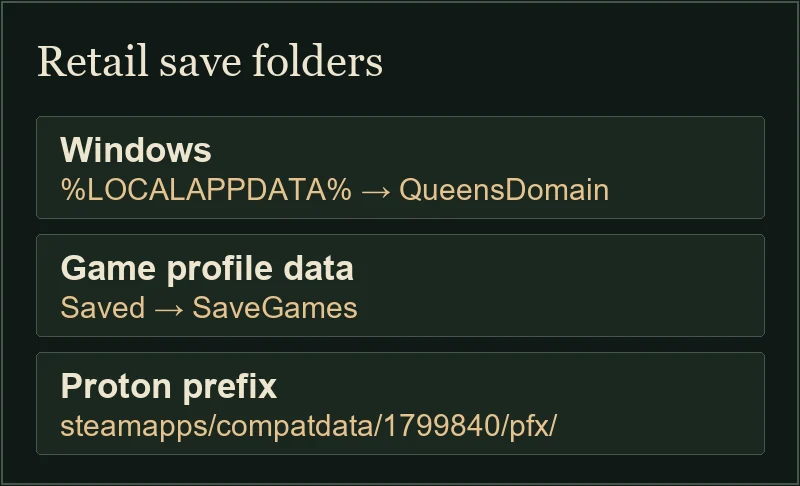
On Windows, the full game's save folder is %LOCALAPPDATA%\QueensDomain\Saved\SaveGames\. Close the game and copy the whole SaveGames folder to a separate location before trying to restore a save. On Steam Deck or other Proton installs, start in the Steam library's prefix for app 1799840.
Updated
Sources checked
On this page
Find the folder for your installation
Scroll sideways for more columns. Use the arrow keys when the table is focused.
| Environment | Location |
|---|---|
| Windows | %LOCALAPPDATA%\QueensDomain\Saved\SaveGames\ |
| Steam Play / Proton | <SteamLibrary>/steamapps/compatdata/1799840/pfx/ contains the Windows-style user profile and its AppData/Local directory. |
Make a copy you can recover
- Exit the game on the devices using this save. If you're playing through Steam, wait for the client to finish syncing before you make your copy.
- On Windows, press Win+R, paste
%LOCALAPPDATA%\QueensDomain\Saved\SaveGames\and open it. From the folder above it, copySaveGameswith every profile subfolder. On Proton, start in the prefix for the actual library that holds the game. - Paste the copy into a separate dated folder. Verify that the contents are present before adjusting Cloud settings or attempting to restore anything. If you also played the trial, keep its save directory separate.
Check accounts and Cloud before restoring
Check which Windows account and Steam account you started the game with. In a missing-save report, developer Birdlay also advised trying Steam without Run as administrator.
Steam Cloud synchronizes saves between sessions and devices. Keeping a dated copy gives you a specific local version to recover if a synchronized save is lost or overwritten. If Steam shows a conflict, preserve any local files first and compare the dates and device named in the prompt before choosing.
Which patch notes apply?
Steam patch 1.01.06 improved save backups and recovery for missing or corrupted challenge data. It also added Steam Cloud support for challenge data. Check the full game's build when diagnosing an older save problem. The Steam Deck notes cover compatibility and in-game settings.