
Does the Queen's Domain demo save carry over?
Check what launch players saw when moving to retail, how to distinguish the two Windows save folders and how to keep your progress safe.
Expect to start a new game in the full version. Launch players report that the Steam demo save doesn't carry over automatically. One player reported loading a manually copied and renamed file. A fresh retail save is the predictable way to begin.
Updated
Sources checked
On this page
Identify the demo and retail folders
Scroll sideways for more columns. Use the arrow keys when the table is focused.
| Install | App ID | Save folder |
|---|---|---|
| Queen's Domain Demo | 4081520 | %LOCALAPPDATA%\QueensDomainDemo\Saved\SaveGames\ |
| Queen's Domain | 1799840 | %LOCALAPPDATA%\QueensDomain\Saved\SaveGames\ |
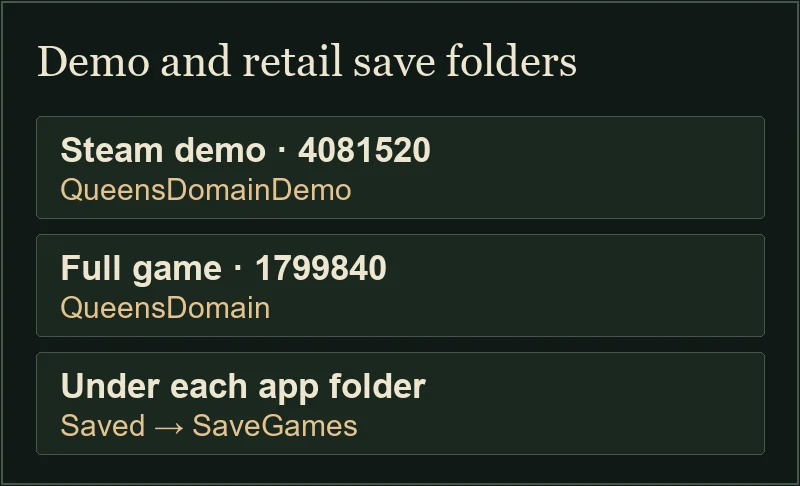
What the launch reports establish
Steam lists the demo and full release as separate apps. In the launch discussion, players found they had to start over and described changed enemy placement or secrets in the opening. A second discussion names World0_Demo.sav as a demo filename within a profile folder.
That second thread describes a manual rename and copy that loaded for the poster. Whether this preserves quest state, inventory or future progress remains unverified. Keep the files in their original folders if you want to revisit the trial.
Keep a fallback before changing saves
Close both apps. Copy each entire folder to its own dated location before touching the live files. The PC save and Cloud guide explains how to keep the copy separate and verify the current profile.
Open retail with a fresh save and use the walkthrough's opening steps to get back on the route.