
Queen's Domain performance on Switch 2
Compare early handheld and docked observations, see measured load times and check which fixes the developer announced for Switch 2.
Early Switch 2 tests reported a 60 fps target with drops in open areas and busy fights. RPG Site found handheld play felt smoother than docked in its opening-hours comparison. Nintendo Life also observed dips in handheld. Minimum frame rates by mode and current build remain unmeasured in these reports.
Updated
Sources checked
On this page
What reviewers saw in handheld and on TV
RPG Site played the opening hours in both modes, compared docked captures with other consoles and took handheld screenshots through the system. It saw more variable frame pacing in busier fights and slower animation on some distant enemies. Nintendo Life independently noted brief dips and low-rate distant animations in its handheld review.
Distant enemy animation can look choppy even while the camera itself is moving at a higher rate. To tune aiming, RPG Site suggested changing look sensitivity and turning off look acceleration. It gave these as control preferences.
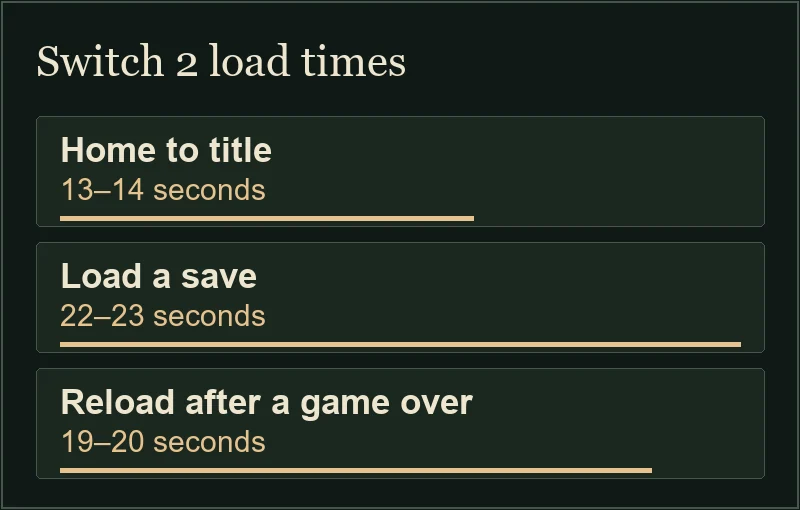
Measured loads from internal storage
Scroll sideways for more columns. Use the arrow keys when the table is focused.
| Action | Observed time |
|---|---|
| HOME Menu to title screen | 13–14 seconds |
| Load an existing save | 22–23 seconds |
| Continue after a game over | 19–20 seconds |
Check the game version on your console
The developer announced console work on screen tearing and camera movement on November 1, then named stability and gameplay fixes for a planned Switch 2 update on November 5. A Switch 2 build number and measured frame-rate improvement are still unknown from those posts.
Highlight Queen's Domain on the HOME Menu and press + or − to open the software options. Note the version shown there and use Software Update → Via the Internet to check for a newer build. See the official platform listings for available editions or the Steam Deck guide for the other handheld comparison.